Liberating Digital Communication: Why Should We Use Jitsi Meet?
Organizing digital privacy and collective solidarity with open-source software

Today, online meetings, remote education, and digital gatherings have moved to the center of our social and professional lives. Yet this vital infrastructure is monopolized by Silicon Valley giants like Zoom, Google Meet, Microsoft Teams, and Skype. In this guide, we will decode the exploitative political economy behind commercial video conferencing tools, explain — with philosophical and practical reasons — why we should switch to the open-source Jitsi Meet, and examine in the finest detail how to set up a secure Jitsi meeting step by step.
A Critique of Commercial Products and Why Jitsi Meet?
Capital-driven platforms (Zoom, Google Meet, etc.) claim to offer us "free" or "easy" services. But in the digital world nothing is without cost. The price we pay when we use these platforms is our privacy and our data — our most fundamental human right.
Surveillance Capitalism and Digital Enclosure
When you use Zoom or Google Meet, every conversation, your tone of voice, your facial expressions, the documents you share, and even your home environment in the background are subjected to data mining. This data is:
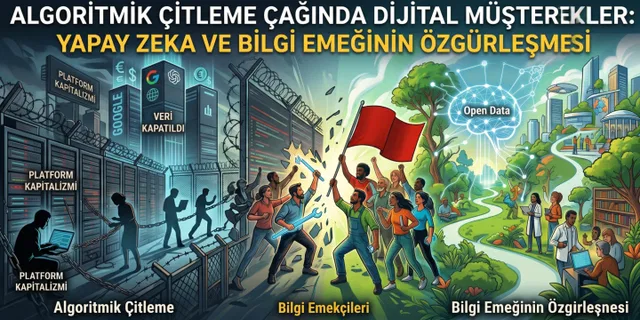
- AI Training: Used as raw material for companies to train their own AI models (their commercial property) for free.
- Profiling and Advertising: Your behavioral profiles are extracted and marketed to advertising monopolies.
- Dependency and Political Control: The platform rules are entirely in the hands of these companies' boards; they can shut down any account they want and erase any community they want from the digital public sphere.
Jitsi Meet: Defending the Digital Commons
Jitsi Meet is a fully Open Source and free alternative developed against this monopolization. Our legal and philosophical reasons for using Jitsi are as follows:
- No Account Required (Anonymity): You don't have to register on the platform, provide an email address, or verify a phone number. This makes tracking impossible.
- Data Sovereignty: Because its code is open, Jitsi can be installed on your own server. That is, control of all your data remains entirely with you or with communities you trust.
- Ad-Free and Exploitation-Free: Thanks to its non-profit structure, it does not aim to sell your attention.
Creating a Meeting Step by Step With Jitsi Meet
One of Jitsi Meet's biggest advantages is that it can run directly through your web browser (Chrome, Firefox, Brave, etc.) without downloading any program to your computer.
Step 1: Choosing an Official or Secure Server
To use Jitsi, you can go to the main server at meet.jit.si. (If you want even higher privacy, you can also use independent Jitsi servers set up by civil society organizations or free software communities.)
Step 2: Creating a Meeting Room (Choosing a Room Name)
- When you open the homepage in your browser, a "Start a new meeting" box will appear.
- You need to type a room name here.
- Critical Security Warning: Never choose predictable words like "test," "meeting," or "lesson1" as the room name. Malicious people or trolls can guess these simple names and infiltrate your meeting.
- The Right Method: Choose a unique, long name containing random characters/words. For example:
KapitalizmElestirisi-2026-XyZ9orEgitim-Teknoloji-Musterenkler-44. - After typing the name, click the "Start Meeting" or "Go" button.
Step 3: Camera and Microphone Permissions
Before entering the meeting, your browser will ask you for camera and microphone access. For your security, approve these permissions. On the entry screen, type your name (it doesn't have to be your real name — it can be a pseudonym) and join the room.
Inviting Participants (Secure Invitation Methods)
After starting the meeting, you need to invite other people into the room. Instead of the complicated invite codes of commercial tools, Jitsi works on the logic of the URL (link address), the most basic structure of the internet.
Method A: Copying the Direct Link (The Fastest Way)
- While in the meeting room, fully copy the link in your browser's address bar (e.g.,
https://meet.jit.si/KapitalizmElestirisi-2026-XyZ9). - Send this link to the people you want to join.
Method B: Using the In-Meeting Invite Button
- Click the "Invite someone" icon (the plus sign with a person figure) located in the menu at the bottom or on the side of the screen.
- In the small window that opens, click the "Copy meeting link" option.
- From the same window, if you wish, you can also trigger an invitation directly through email services.
A Note on Secure Communication:
Sending invitation links through end-to-end encrypted, open-source secure messaging apps like Signal, Matrix/Element — rather than through commercial platforms like WhatsApp or Google Chat that scan your data — prevents your digital security chain from being broken.
Meeting Security and Privacy Settings
Jitsi Meet is secure by default, but on public servers you must absolutely apply the following security steps to protect your meeting from trolls, spyware, and uninvited guests.
Click the Shield / Security Options icon located in the bottom right corner of the screen or on the main control panel. Here, three critical lines of defense will appear before you:
1. Lobby Mode — The First Line of Defense
- What is it? It prevents participants from diving directly into the room. Just like a physical door, those who arrive wait at the door and cannot enter until the moderator (the person who opened the meeting) grants approval.
- How to enable it? From the security options, activate the "Enable Lobby" option.
- How does it work? When a new person clicks the link, the message "Please wait for the moderator to admit you" appears on the screen. On the moderator's screen, the alert "admit/reject person X" appears. Do not let anyone in whose identity you have not verified.
2. Password Protection (Add Password) — The Second Line of Defense
- What is it? It is a cryptographic barrier that prevents someone who has obtained the link from entering the room.
- How to set it? From the security options, click the "Add Password" section and set a strong password (containing letters, numbers, and symbols).
- Important Detail: Try not to send the password in the same message as the meeting link. If you sent the link by email, sending the password over Signal provides "layered defense" in cybersecurity.
3. End-to-End Encryption (E2EE) — The Unbreakable Line of Defense
- What is it? Normally, video calls are encrypted as they pass through the server (hop-by-hop). But there is a theoretical risk that the server owner could listen in on the conversation. When E2EE is turned on, your audio and video are encrypted before they even leave your computer in such a way that even Jitsi's own servers cannot see or hear what you are saying.
- How to enable it? Activate the "Start End-to-End Encryption" button located at the very bottom of the security options menu.
- Condition: For E2EE to work, everyone in the meeting must use an up-to-date desktop browser (one that supports WebRTC insertable streams, like Chrome, Edge, Brave) or the Jitsi mobile app.
Moderator Powers (Maintaining Order in the Room)
As the person who started the meeting, you have broad powers to prevent anarchy and possible provocations in the room:
- Mute Everyone: From the participant list, with a single click you can mute everyone's microphone and prevent noise pollution.
- Kick a Participant From the Room: By clicking the three dots next to the name of an uninvited participant or one who breaks the rules, you can permanently eject them from the room with the "Remove" option.
Conclusion: The Vital Importance of Open-Source Alternatives and Digital Sovereignty
Refusing to use commercial software like Zoom, Google Meet, or similar and choosing Jitsi Meet is not just a simple "software choice" or a technical preference. It is a political and ethical stance.
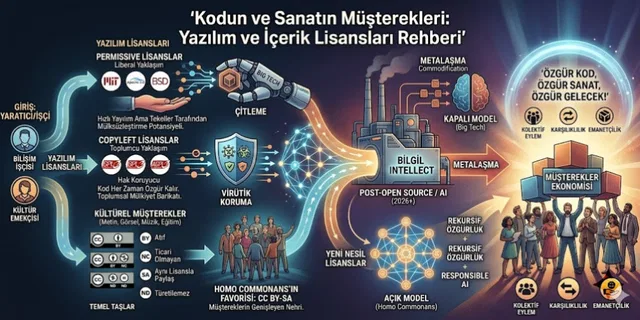
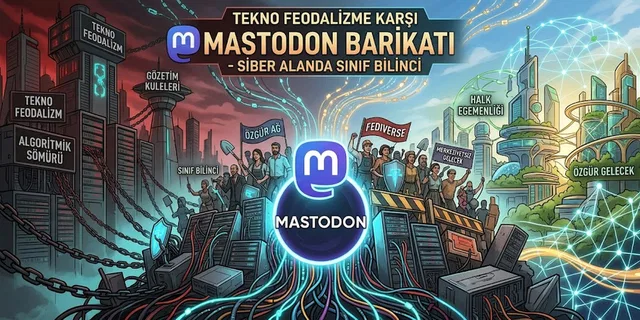
In this age where techno-feudalism surrounds the world with digital serfdoms, where our data is used as fuel in the AI factories of Silicon Valley billionaires, open-source software is the liberated zone of the digital world (the digital commons).
Why is using open-source alternatives the only right path for our future?
- Trust Comes From Not Trusting: Commercial companies say "We protect your data," but they hide their source code. You can never know which intelligence services or advertising companies they transfer data to through the back door. The code of open-source projects like Jitsi, on the other hand, is audited in real time by scientists and software developers all over the world. It is impossible for them to harbor a hidden back door.
- Breaking the Illusion of Ownership: Commercial software does not sell you the product; it only grants you a "license to use" under certain conditions. The moment they change the terms, you are left out in the cold. Open source, by contrast, is the common heritage of humanity; its ownership belongs to society.
- Solidarity and Sustainability: By using Jitsi, we cut off the financial and data taps that flow to exploitation mechanisms. For the sake of our security, our freedom, and our digital sovereignty, we must learn open-source tools, teach them, and make them mandatory in our communities.
Remember: a society whose communication channels are under the control of capital can never truly be free.
Take control of your keyboard and your communication into your own hands.
The future is open source!